When all our subscription spots are filled, we operate a waitlist system. If a subscription is full, then the option to purchase this on its shop listing page changes to "Join The Waitlist", an example of which is shown below:
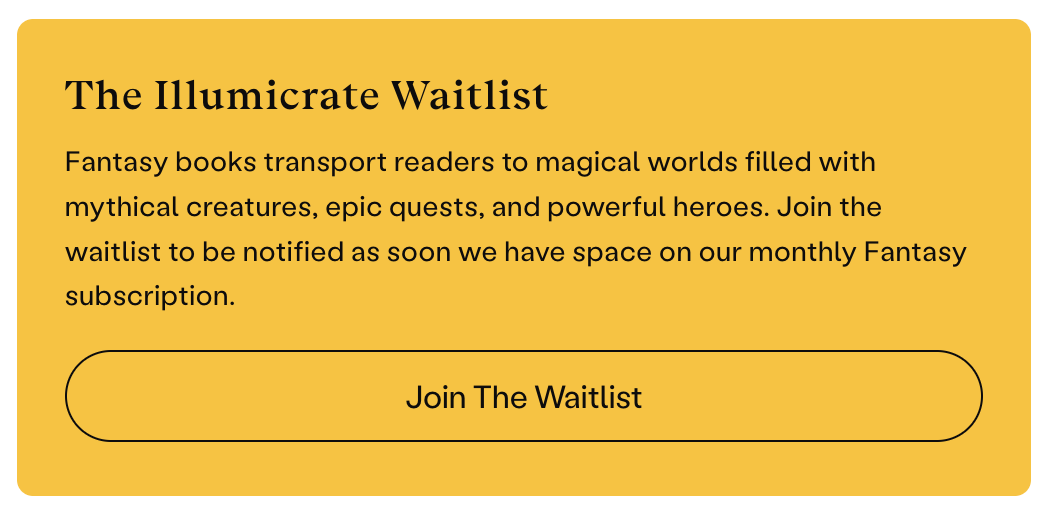
How to Join a Waitlist
To join a waitlist, please make sure you are logged in to your online account and then click the "Join The Waitlist" button for the subscription you wish to join (UK | US). You will be automatically added to the waitlist for this subscription, and you will be advised of the current estimated wait time.
In the case of our Illumicrate Fantasy waitlist, we offer one waitlist for both full box and book-only and you can choose your preference when you receive your invite.
Click here for how to check your place on a waitlist.
Receiving an Invite
Once we have subscription spots available, we will send an invite via email to people on the waitlist, and also announce this on our Instagram Stories. There will be a deadline given in the email, so please make sure you subscribe before this.
In the case of our Illumicrate Fantasy waitlist, when you receive your invite for this you will be able to select between the full box or book-only options at that point, before you check out.
Skipping an Invite
You can optionally choose to skip your invitation if you do not resonate with the month/theme that your subscription will start with. You can do this a maximum of two times; after this, you will need to rejoin the waitlist.
Remember!
- Click here for an overview of all our subscriptions.
- The login matrix can help you find your correct login location. If in doubt, start there.
- Click here to see if we ship to your country.
- If you get stuck, contact Support.
Please contact us if you have any issues, or you can also email us directly at support@illumicrate.com!
Was this article helpful?
That’s Great!
Thank you for your feedback
Sorry! We couldn't be helpful
Thank you for your feedback
Feedback sent
We appreciate your effort and will try to fix the article