If you have signed up to one of our subscription waitlists, we operate a waitlist system. If you would like to check your position on a waitlist, you can do this in your online account.
Using a mobile phone? Click here for instructions.
Checking Your Waitlists on a Desktop
1. First, please log into your online account.
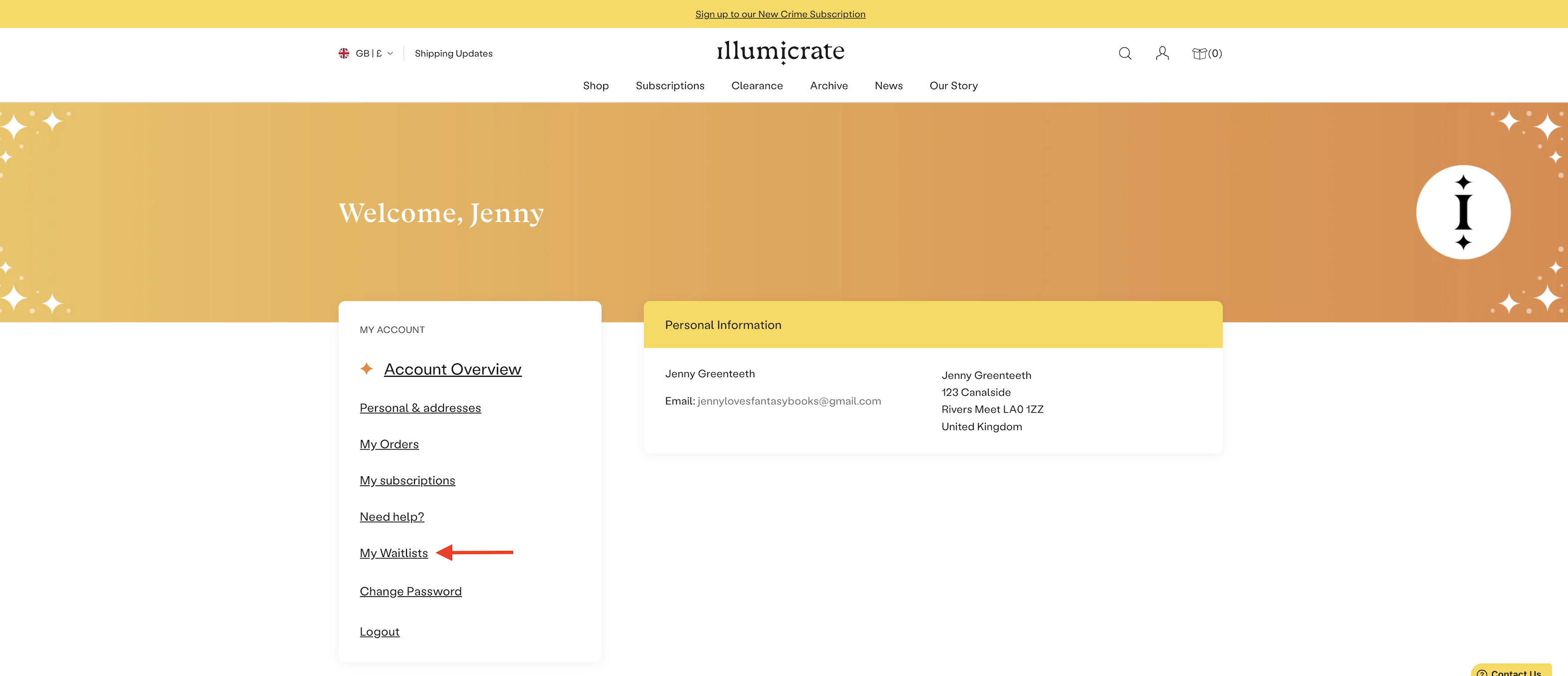
From your Account Overview page, please click on the "My Waitlists" tab on the left-hand side menu:
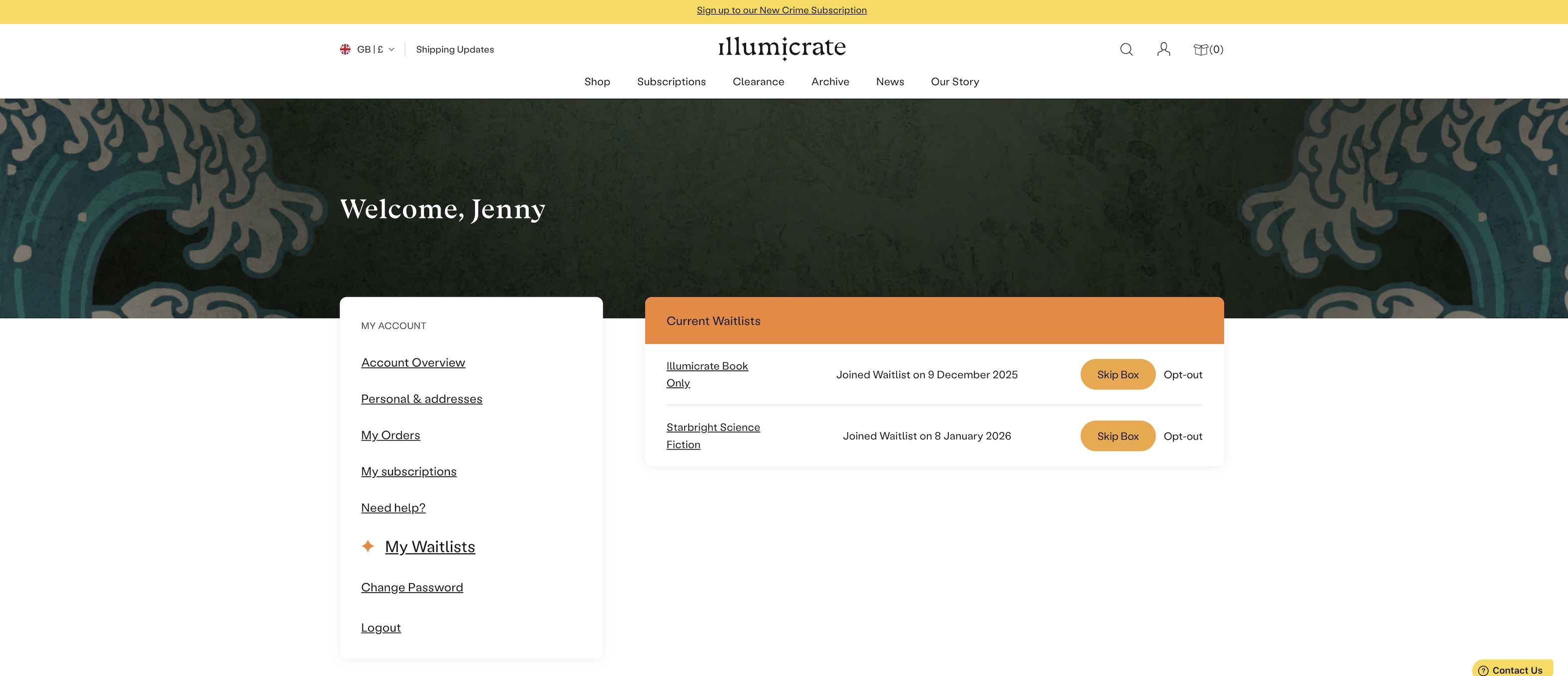
2. This takes you to the My Waitlists page. From here, you can see which waitlists you've joined and the date you joined them. You can also choose to skip, or opt-out (leave), your waitlist from here.
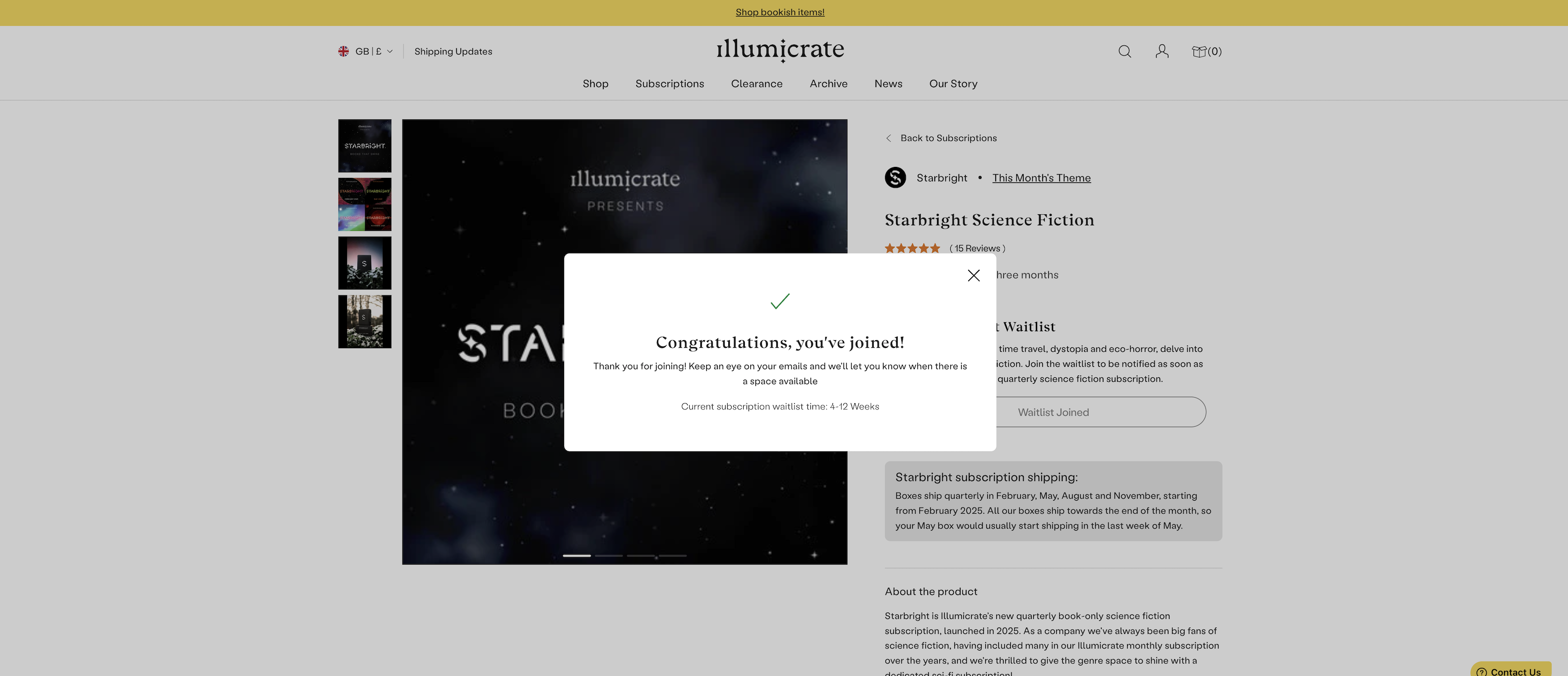
3. If you click on the waitlist you're interested in, you can then see confirmation that you have joined it and the estimated waiting time from the date you joined:
Checking Your Waitlists on a Mobile
1. Please log into your online account.
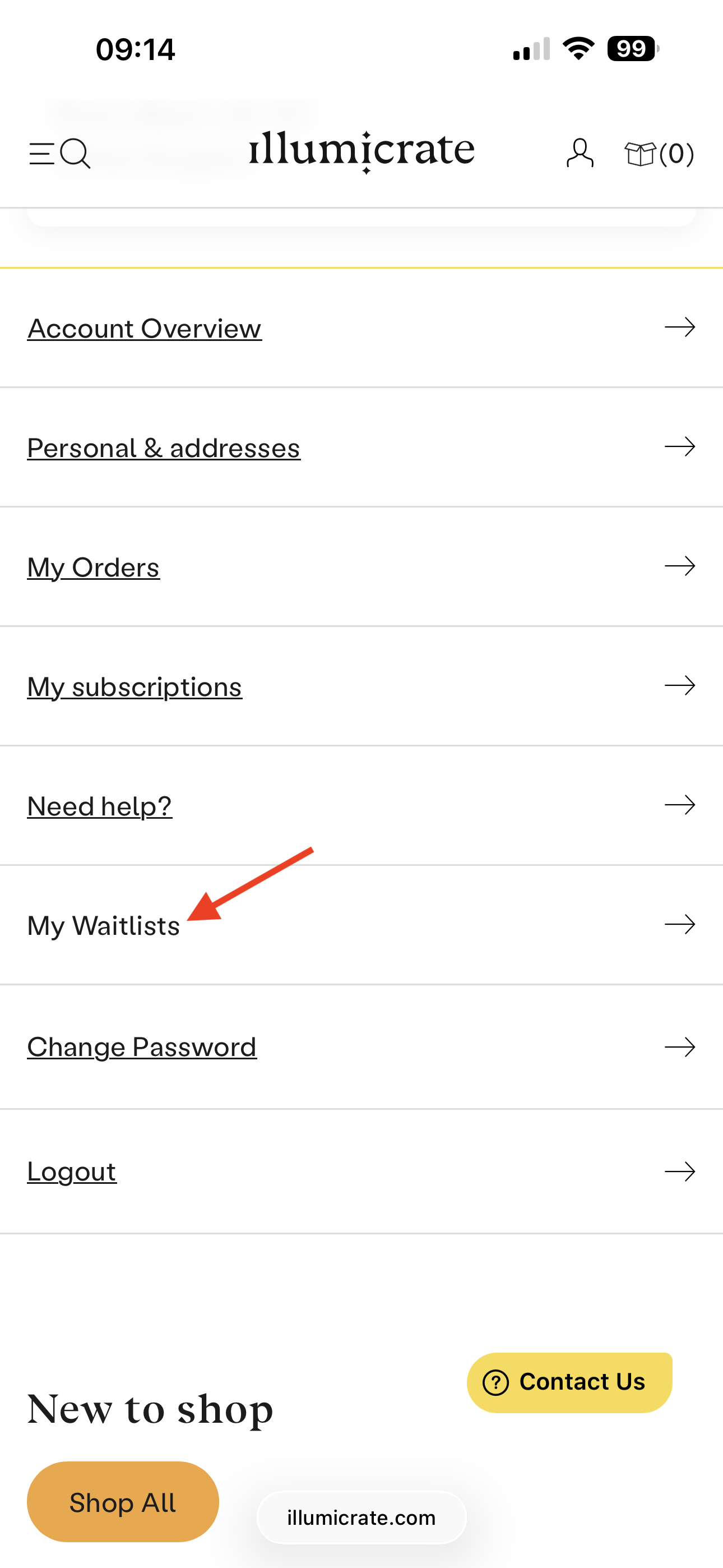
From your Account Overview page, please scroll down to the on the "My Waitlists" link and click on it:
2. This takes you to the My Waitlists page. From here, you can see which waitlists you've joined and the date you joined them. You can also choose to skip, or opt-out (leave), your waitlist from here.
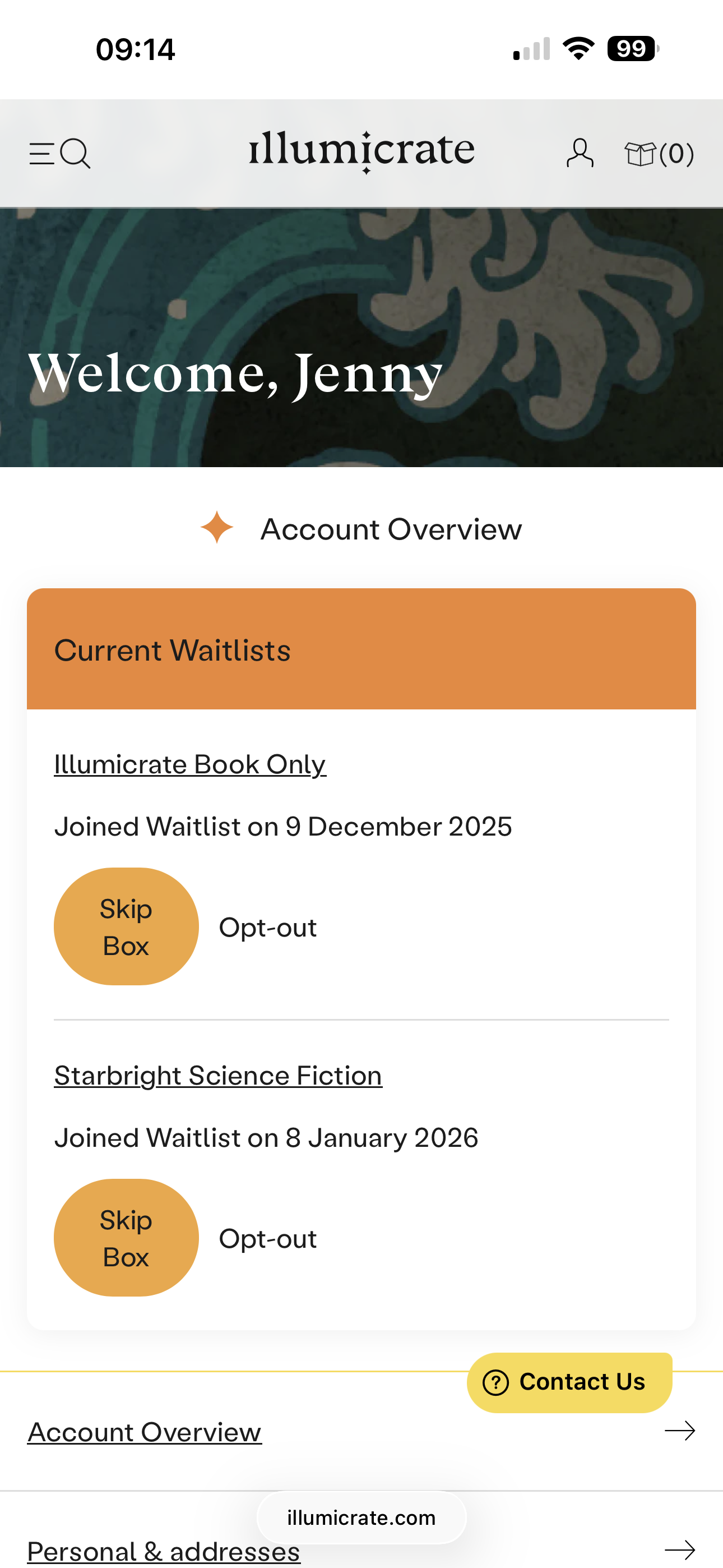
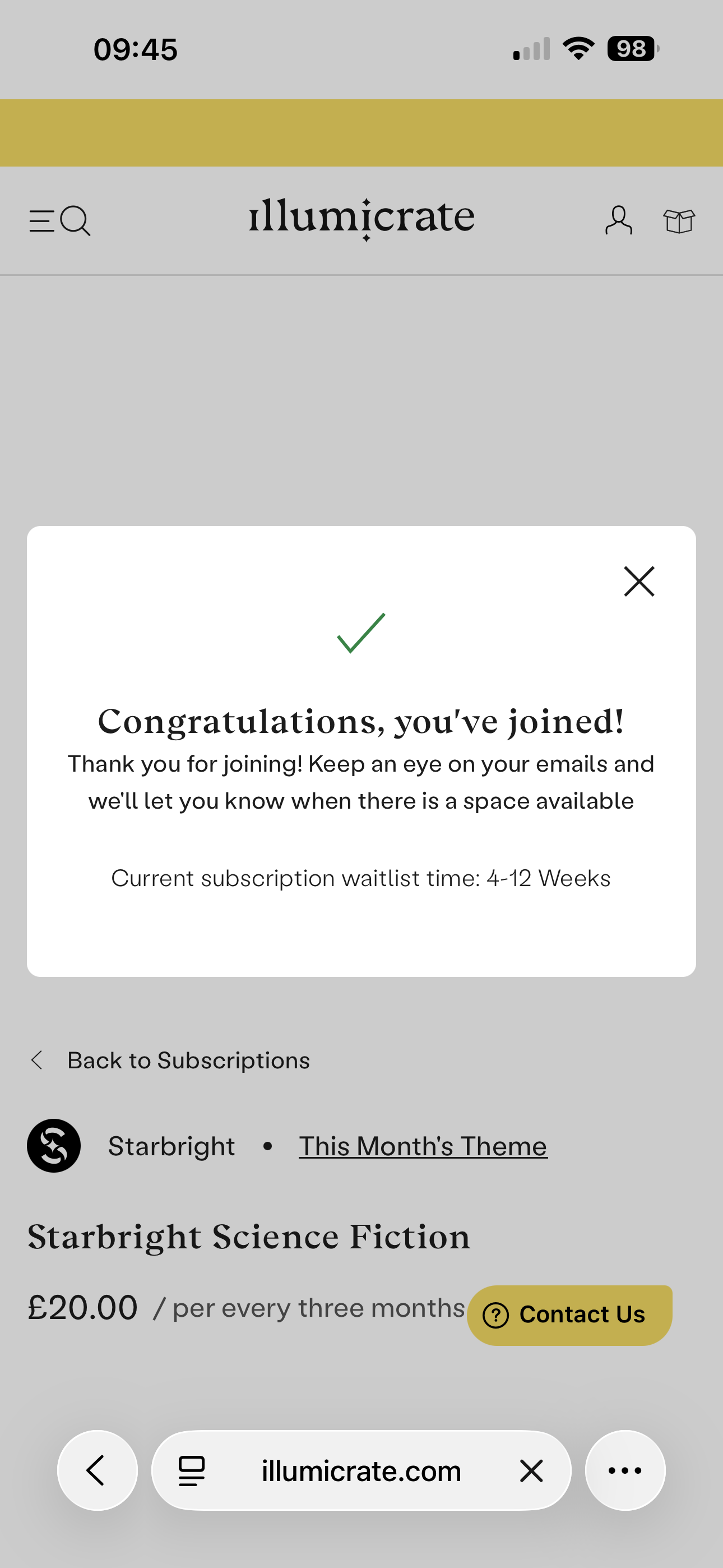
3. If you click on the waitlist you're interested in, you can then see confirmation that you have joined it and the estimated waiting time from the date you joined:
Remember!
- Click here for an overview of all our subscriptions.
- Click here for an overview of our subscription waitlists.
- Click here for an overview of our Exclusive Edition waitlists.
- The login matrix can help you find your correct login location. If in doubt, start there.
- If you get stuck, contact Support.
Please contact us if you have any issues, or you can also email us directly at support@illumicrate.com! All 'customer' details visible in this guide are fictitious and for educational purposes only.
Was this article helpful?
That’s Great!
Thank you for your feedback
Sorry! We couldn't be helpful
Thank you for your feedback
Feedback sent
We appreciate your effort and will try to fix the article